# MCP Server
- URL: https://karandeepsingh.ca/mcp-server/
- Author: Karandeep Singh
- Summary: A public MCP server for karandeepsingh.ca — search and read the blog's DevOps/AWS articles and cheatsheets from Claude, Cursor, ChatGPT or any MCP client. Tools, resources and prompts.
# 🔌 MCP Server
This blog runs a public, read-only **MCP (Model Context Protocol) server**, so Claude
and other AI clients can search, read and reason over its DevOps and AWS content
directly — no copy-pasting.
> **Endpoint:** `https://karandeepsingh.ca/mcp`
> **Registry:** `io.github.karandaid/karandeepsingh-blog`
> **Auth:** none — the content is public
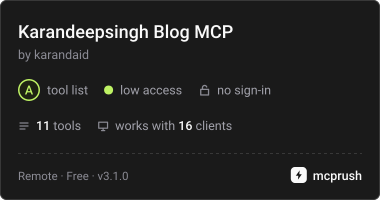
Also listed on mcprush:
 ## ⚡ Add it in one line
**Claude Code**
```bash
claude mcp add --transport http kayd https://karandeepsingh.ca/mcp
```
**Claude app** — Settings → Connectors → *Add custom connector* → paste the endpoint.
**Cursor** — `~/.cursor/mcp.json`
```json
{
"mcpServers": {
"kayd": { "url": "https://karandeepsingh.ca/mcp" }
}
}
```
**VS Code / Copilot** — `.vscode/mcp.json`
```json
{
"servers": {
"kayd": { "type": "http", "url": "https://karandeepsingh.ca/mcp" }
}
}
```
**ChatGPT** — Settings → Connectors → add a custom MCP connector with the same URL.
**Stdio-only clients** — bridge it with `mcp-remote`:
```json
{
"mcpServers": {
"kayd": {
"command": "npx",
"args": ["-y", "mcp-remote", "https://karandeepsingh.ca/mcp"]
}
}
}
```
## 🏗 How it works
```mermaid
flowchart LR
C["🤖 Claude / Cursor / ChatGPT"] -->|"JSON-RPC over HTTPS"| M["⚡ /mcp
## ⚡ Add it in one line
**Claude Code**
```bash
claude mcp add --transport http kayd https://karandeepsingh.ca/mcp
```
**Claude app** — Settings → Connectors → *Add custom connector* → paste the endpoint.
**Cursor** — `~/.cursor/mcp.json`
```json
{
"mcpServers": {
"kayd": { "url": "https://karandeepsingh.ca/mcp" }
}
}
```
**VS Code / Copilot** — `.vscode/mcp.json`
```json
{
"servers": {
"kayd": { "type": "http", "url": "https://karandeepsingh.ca/mcp" }
}
}
```
**ChatGPT** — Settings → Connectors → add a custom MCP connector with the same URL.
**Stdio-only clients** — bridge it with `mcp-remote`:
```json
{
"mcpServers": {
"kayd": {
"command": "npx",
"args": ["-y", "mcp-remote", "https://karandeepsingh.ca/mcp"]
}
}
}
```
## 🏗 How it works
```mermaid
flowchart LR
C["🤖 Claude / Cursor / ChatGPT"] -->|"JSON-RPC over HTTPS"| M["⚡ /mcp
serverless function"]
H["🏗 Hugo build"] --> T["📇 mcp-index.json
47 KB · metadata"]
H --> F["📚 index.json
full article text"]
H --> Q["🧠 mcp-quiz.json
76 questions"]
H --> K["⌨️ mcp-code.json
963 code blocks"]
M --> T
M --> F
M --> Q
M --> K
M --> R["🧰 11 tools
📄 resources · 💬 prompts
⌨️ completions"]
```
A stateless MCP server running as a single serverless function on the same deploy as the
site. Anything that only needs titles, tags and summaries reads a **trimmed metadata index
generated at build time (~47 KB)**; full text, quiz questions and code blocks live in
separate indexes fetched only by the tools that need them, so the common path stays fast.
No session state, no database, and no second thing to deploy — the server ships with the
blog.
## 🧰 Tools
| Icon | Tool | What it does |
|---|------|--------------|
| 🔍 | `search_posts` | Search articles and cheatsheets; returns title, URL, tags, date, reading time and summary. Optionally filter to `posts` or `cheatsheets` |
| 📖 | `read_post` | Read an article's full text by URL, slug or title — paginated, with related links appended |
| 📋 | `get_cheatsheet` | Jump straight to a cheatsheet by topic (docker, cloudformation, cost, aurora, …) |
| 🗒 | `list_cheatsheets` | Every quick-reference guide on the blog |
| 🆕 | `list_recent` | The most recently published posts |
| 🏷 | `browse_by_tag` | Posts filtered by a tag |
| 🗂 | `list_topics` | Every tag with a post count, for discovery |
| 🔗 | `related_posts` | Posts sharing the most tags with a given post |
| 🎲 | `random_post` | A surprise pick |
| 🧠 | `quiz_me` | Run a real multiple-choice quiz drawn from questions written for the articles — answers and explanations included |
| ⌨️ | `get_commands` | Return only the runnable commands from a page, no prose |
Every tool is annotated **read-only, idempotent and non-destructive**, so clients can
safely allow them without prompting each time.
### 🧠 Quiz mode
Every article on this blog ends with comprehension questions. Those **76 questions** are
exposed through the server, so you can be tested on them:
```text
"Quiz me on Aurora"
## 🧠 Quiz: aurora (3 questions)
**1.** Why set "Public access" to No when creating an Aurora cluster
for an app running on EC2 in the same VPC?
A. Public access makes the database slower
B. The app reaches the database privately inside the VPC, so a
public IP only adds attack surface with no benefit
C. Aurora does not support public access
D. It is required to use Serverless v2
```
Answers and explanations come back in a separate section, each linked to the article it
came from — so the client can ask first and mark afterwards.
### ⌨️ Just the commands
When you want the command and not the article:
```text
"Give me the docker build commands from Karandeep's blog"
## ⌨️ Commands from 📋 Docker Cheatsheet
docker build -t myapp:1.0 .
docker build -t myapp:1.0 -f prod.Dockerfile .
docker push registry.example.com/team/myapp:1.0
```
## 📄 Resources
Every article and cheatsheet is also exposed as an **MCP resource**, addressed by its real
canonical URL:
```text
https://karandeepsingh.ca/posts/{slug}/
https://karandeepsingh.ca/cheatsheets/{category}/{slug}/
```
That means a client can attach a specific article as context directly, without searching
for it first. `resources/list` is cursor-paginated, and resource templates are published
for both sections.
## 💬 Prompts
| Icon | Prompt | What it does |
|---|--------|--------------|
| 🔬 | `research_topic` | Search, read the best matches, and answer grounded in the articles — with sources |
| ⚡ | `quick_reference` | Pull up the right cheatsheet and answer a specific question from it |
| ⚖️ | `compare_options` | Weigh two technologies against each other on cost and fit |
| 📰 | `whats_new` | Summarise the newest posts |
## ⌨️ Completions
Prompt arguments and resource-template variables autocomplete from the site's real data —
tag names, cheatsheet topics and article slugs — so clients can offer a picker instead of
making you guess. With `tools`, `resources`, `prompts` and `completions` all implemented,
this is a complete MCP server rather than a tools-only one.
## 🔒 Privacy & terms
No personal data is stored and no login is required. Requests may be logged by IP address
solely to enforce rate limiting. See the [Privacy Policy](https://karandeepsingh.ca/privacy/) and
[Terms of Service](https://karandeepsingh.ca/terms/). Support: **the contact form at https://karandeepsingh.ca/contact/**.
Curious how it was built? I wrote it up in
[I Gave My Blog an MCP Server (and You Can Too)](https://karandeepsingh.ca/posts/blog-mcp-server-netlify/).