Learn kubectl annotate step by step: add, overwrite and remove annotations, record …
/user/kayd
@
devops
:~$
cat aurora-clone-copy-on-write.md
Cloning an Aurora PostgreSQL Cluster (Copy-on-Write) Cloning an Aurora PostgreSQL Cluster (Copy-on-Write)


Karandeep Singh
• 6 minutes
Summary
How Aurora copy-on-write cloning makes a fast, isolated copy of a cluster in minutes regardless of size, proven hands-on, plus when and why to use one, whether to keep or delete it, the benefits and limits, and whether it makes sense to add readers or Regions to a clone.
When you need a copy of a production database to test a migration or a risky change, the slow way is snapshot-and-restore, which physically copies every byte. Aurora has a faster trick: a clone. It makes a new, independent cluster in minutes regardless of size, because it does not copy the data at all up front. This article clones the database-1 cluster, proves the clone is isolated from the source, and then answers the questions that actually matter: when to use one, whether to keep it, the limits, and whether adding readers or Regions to a clone makes any sense.
Cloning does not touch the source. Creating a clone is a read-only operation against the source cluster, it does not reboot it, lock it, or interrupt traffic. The clone is a brand-new, separate cluster.
How copy-on-write cloning works
Aurora separates compute from storage, and a clone takes advantage of that. Instead of duplicating the storage volume, the clone points at the same underlying pages as the source. Only when a page changes, on either the source or the clone, does Aurora write a new copy of just that page and repoint the clone to it. That is the copy-on-write protocol, and it has three consequences:
Expand your knowledge with Bash Error Handling: Patterns for Bulletproof Scripts
- Fast: creation takes minutes whether the database is 1 GB or 1 TB, because nothing is copied initially.
- Cheap to start: you pay only for the pages that later diverge, plus the clone’s own instance.
- Isolated: writes on the clone never affect the source, and vice versa.
Step 1: Create the clone
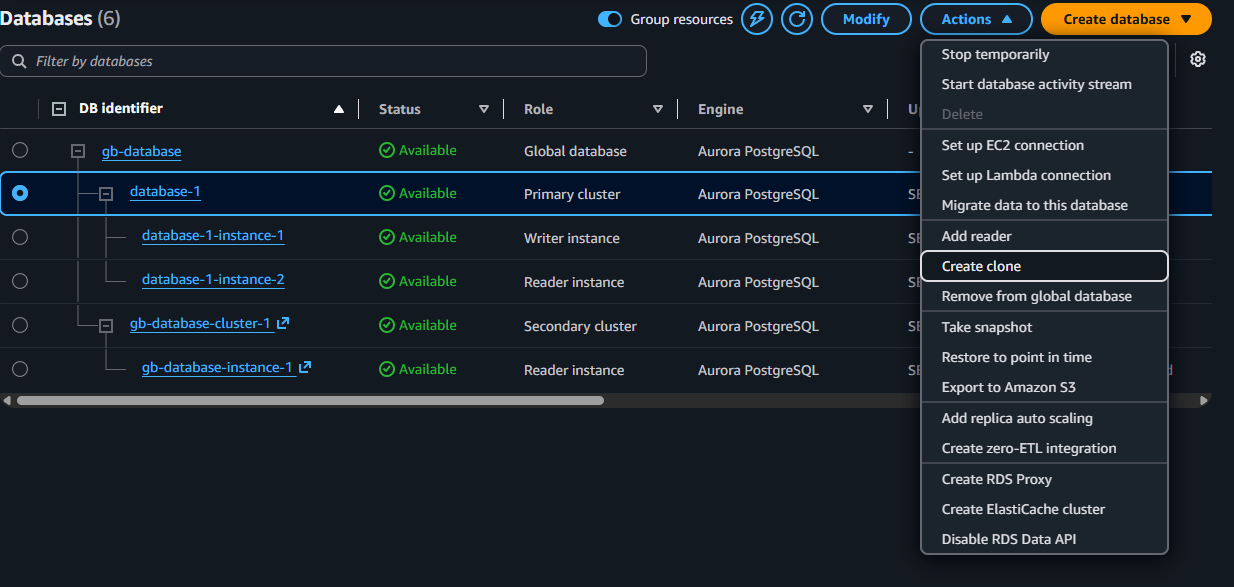
RDS → Databases → database-1 → Actions → Create clone:
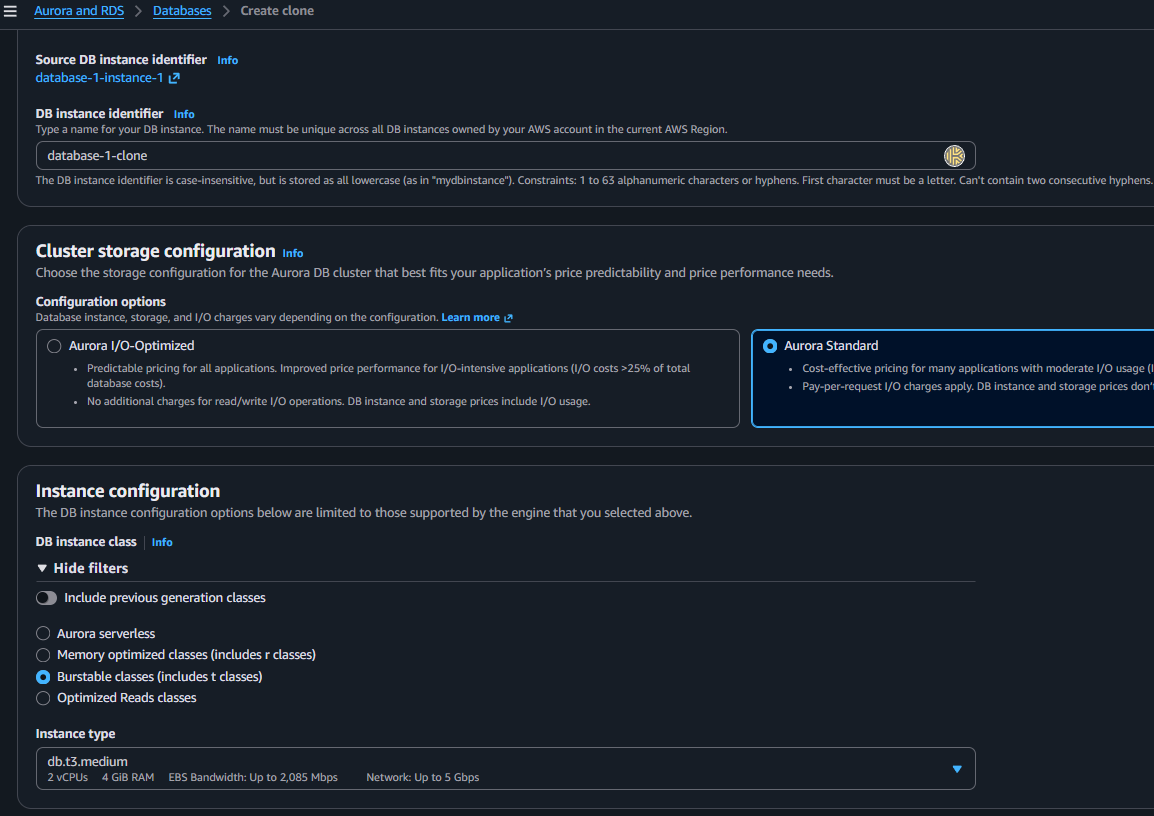
On the configuration page, name it database-1-clone. A useful detail: the clone is a brand-new standalone cluster, not part of the source’s global database, so it is not bound by the global-database rules. That means burstable instances are allowed again, and you can pick a cheap db.t3.medium instead of the r-class the global primary required:
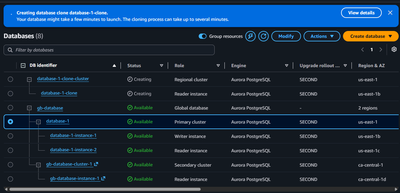
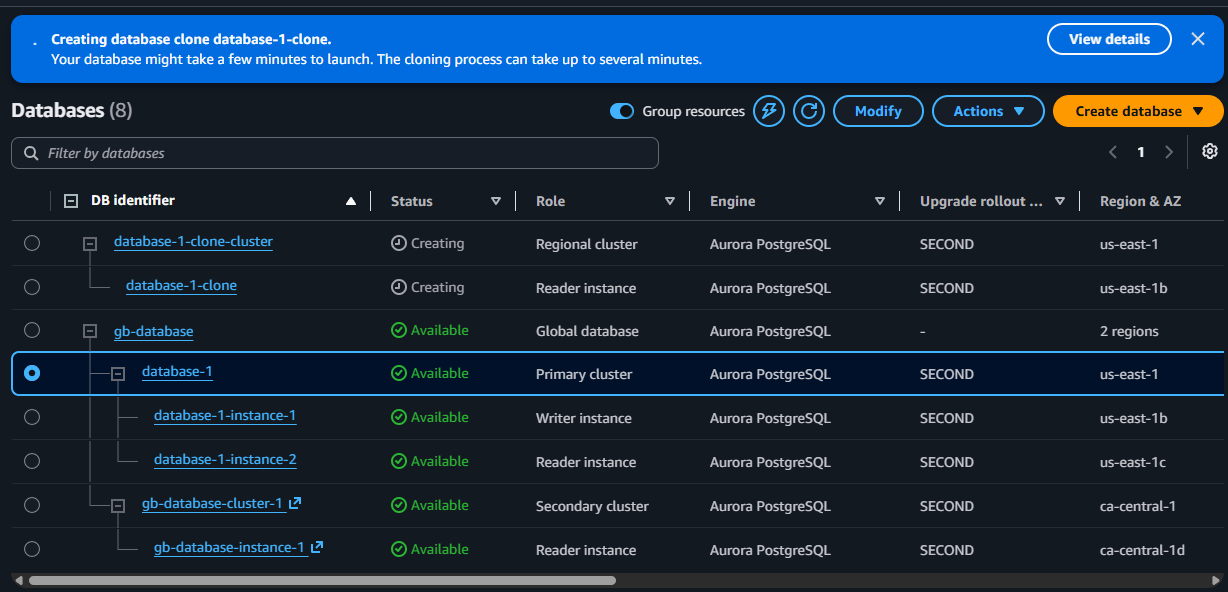
Create it. The clone appears as its own Regional cluster (database-1-clone-cluster), separate from gb-database, and is ready in a few minutes:
Deepen your understanding in EC2 Image Builder: Create a New Image Recipe
Step 2: Prove it is a real, isolated copy
Once the clone is Available, connect to its writer endpoint and check the data came across:
export CLONE="database-1-clone-cluster.cluster-XXXXXXXX.us-east-1.rds.amazonaws.com"
psql "host=$CLONE port=5432 dbname=postgres user=postgres \
      sslmode=verify-full sslrootcert=./global-bundle.pem"
SELECT count(*) FROM products;
 count
--------
 100002
The clone has all 100002 rows the source had at clone time, without Aurora copying a single one up front. Now prove the isolation by writing to the clone only:
-- on the CLONE
INSERT INTO products (name, category, price) VALUES ('clone-only', 'test', 5.55);
SELECT count(*) FROM products;   -- clone now shows 100003
Then check the source (database-1 writer) in another session:
-- on the SOURCE
SELECT count(*) FROM products;   -- still 100002, untouched
Clone at 100003, source still at 100002. Same starting data, completely separate from that moment on, and Aurora stored exactly one new page for the row you added. That is copy-on-write in action.
Explore this further in kubectl annotate: Change-Cause and Rollout History
When and why to use a clone
A clone is the right tool when you want to do something risky against production-like data without any risk to production:
- Rehearse a schema migration or a data backfill.
- Test a major or minor version upgrade before doing it for real.
- Try a new index or tune a slow query on real data volume (pairs well with finding slow queries).
- Debug a production issue on a faithful copy.
- Stand up a short-lived test or staging environment quickly.
It beats snapshot-and-restore for these because it is faster to create and cheaper to start, since it is not copying the whole volume.
Discover related concepts in Sed for JSON: Emergency Patterns When jq Is Unavailable
Should you keep it or delete it?
Delete it when the task is done. A clone is designed to be short-lived, for two reasons:
- It bills for compute the entire time its instance runs, just like any cluster.
- Its storage cost grows as data diverges. Every page that changes on the source or the clone allocates new storage, so the longer a clone lives (and the more either side changes), the more its early “almost free” advantage erodes.
And a clone is not a backup. It shares storage lineage with the source rather than being an independent point-in-time copy, so it is no substitute for snapshots or point-in-time recovery. Keep a clone for the length of a task, not as a standing environment.
Uncover more details in Unix Power Tools Every DevOps Engineer Should Know
Benefits and limits at a glance
Benefits: near-instant creation regardless of size, cheap to start, fully isolated from the source, and real production data volume for realistic testing.
Limits:
Journey deeper into this topic with Aurora Write Forwarding: Writing Through a Read Replica
- Same Region and same account (cross-account cloning is a separate flow using AWS RAM).
- Up to 15 copy-on-write clones from a single source.
- Storage cost rises with divergence, so long-lived clones lose their cost advantage.
- Not a disaster-recovery tool, use snapshots and PITR for that.
Can you add readers or Regions to a clone?
Yes to both, because the clone is a full, independent Aurora cluster, but whether you should is the interesting part.
- Adding readers:
database-1-clone → Actions → Add reader, up to 15, exactly like any cluster (see adding a reader). This makes sense only if the clone has become a genuine, longer-lived environment that needs read scaling or high availability. For a throwaway test clone it is just extra cost. - Adding Regions: you can run Add AWS Region on a clone, but that turns it into its own separate global database, unrelated to the source’s. It also hits the same rule we met earlier, burstable
t3is not allowed for a global database, so you would first have to upgrade the clone offdb.t3.medium. For a short-lived clone this defeats the purpose entirely.
The rule of thumb: a clone is a scalpel for one short task, not a foundation for permanent infrastructure. If you find yourself adding readers and Regions to a clone, what you really want is a proper standing environment or a fresh cluster, not a clone.
Enrich your learning with Adding an AWS Region to Aurora PostgreSQL (Global Database)
Clean up
Because the clone is a separate cluster with its own instance and growing divergence storage, delete it as soon as the task is finished: RDS → Databases → database-1-clone → Actions → Delete. That leaves the source completely untouched, the two clusters are independent copies linked only by the shared pages that have not changed.
Gain comprehensive insights from Bash String Functions: Trimming, Case, and Reversal
Wrapping up
Cloning turns “I need a copy of prod to test this” from an hours-long restore into a few minutes, thanks to copy-on-write. Use it for short, risky experiments on real data, prove your change on the clone, then throw the clone away, remembering that it costs compute while it runs, grows in storage as it diverges, and is not a backup. For the shell and SQL around this, see my Ubuntu Terminal cheatsheet and Python Basics cheatsheet.
Master this concept through Adding an AWS Region to Aurora PostgreSQL (Global Database)
References and Further Reading
- Amazon Web Services. Cloning a volume for an Aurora DB cluster.
- Amazon Web Services. Cross-account cloning with AWS RAM and Aurora.
- Amazon Web Services. Amazon Aurora storage and reliability.
Question
What would you reach for a clone to test, a migration, an upgrade, or a risky query, and how long would you keep it around?
Similar Articles
Related Content
More from cloud
Atuin replaces your shell history with a searchable database: fuzzy matching, filter by directory, …
Cut AWS Lambda cost: what you are actually billed for, why more memory is rarely cheaper, the exact …
You Might Also Like
Livestream from your phone with Amazon IVS and no code, with every channel setting explained: …
Design an AWS Lambda system for a million users an hour: capacity math, concurrency, cold starts, …
Knowledge Quiz
Test your general knowledge with this quick quiz!
A set of multiple-choice questions to test your knowledge.
Take as much time as you need.
Your score will be shown at the end.
Question 1 of 5
Score: 0
Quiz Complete!
Your score: 0 out of 5
Loading next question...
Contents