Learn kubectl annotate step by step: add, overwrite and remove annotations, record …
/user/kayd
@
devops
:~$
cat aurora-postgresql-setup-guide.md
How to Set Up Aurora PostgreSQL (and Why Each Setting Matters) How to Set Up Aurora PostgreSQL (and Why Each Setting Matters)


Karandeep Singh
• 7 minutes
Summary
The reasoning behind every choice when creating an Amazon Aurora PostgreSQL cluster, from provisioned vs serverless to the security-group model, so the settings make sense instead of being guessed.
Before you can cache anything, you need something worth caching. This article sets up the database, an Amazon Aurora PostgreSQL cluster, that the next one will put a Valkey cache in front of. But I did not want to just list clicks. The AWS create-database wizard throws a dozen decisions at you, and most guides tell you what to pick without telling you why. So this is the “why” version.
If you have not read the companion piece on the cache side, the Valkey on AWS ElastiCache guide covers the VPC, EC2 client, and security group we are reusing here. This Aurora setup slots right into that same network.
This is part one of two. Here we create and configure Aurora PostgreSQL and explain each setting. In part two we load real tables and put Valkey in front of them as a cache-aside layer, with the cache hit/miss and latency numbers to prove it was worth it.
What you are reusing
Aurora, like ElastiCache, lives inside a VPC and is reached through a security group. From the Valkey article I already have:
- A default VPC.
- An EC2 instance (
valkey-demo-client) in that VPC to run queries from. - A security group (
valkey-demo-sg) with a self-referencing rule on the PostgreSQL port,5432.
That last rule is what lets the EC2 box talk to the database. If you are starting fresh, add an inbound rule to your security group: Type PostgreSQL (5432), Source: the same security group. Anything wearing that group can then reach anything else wearing it.
Expand your knowledge with AWS Lambda Configuration Explained: What to Care About (and Why)
Full configuration, not Express
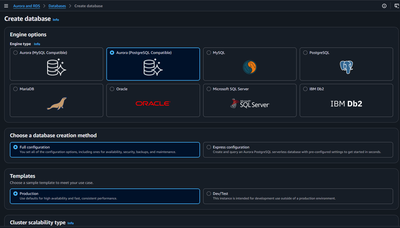
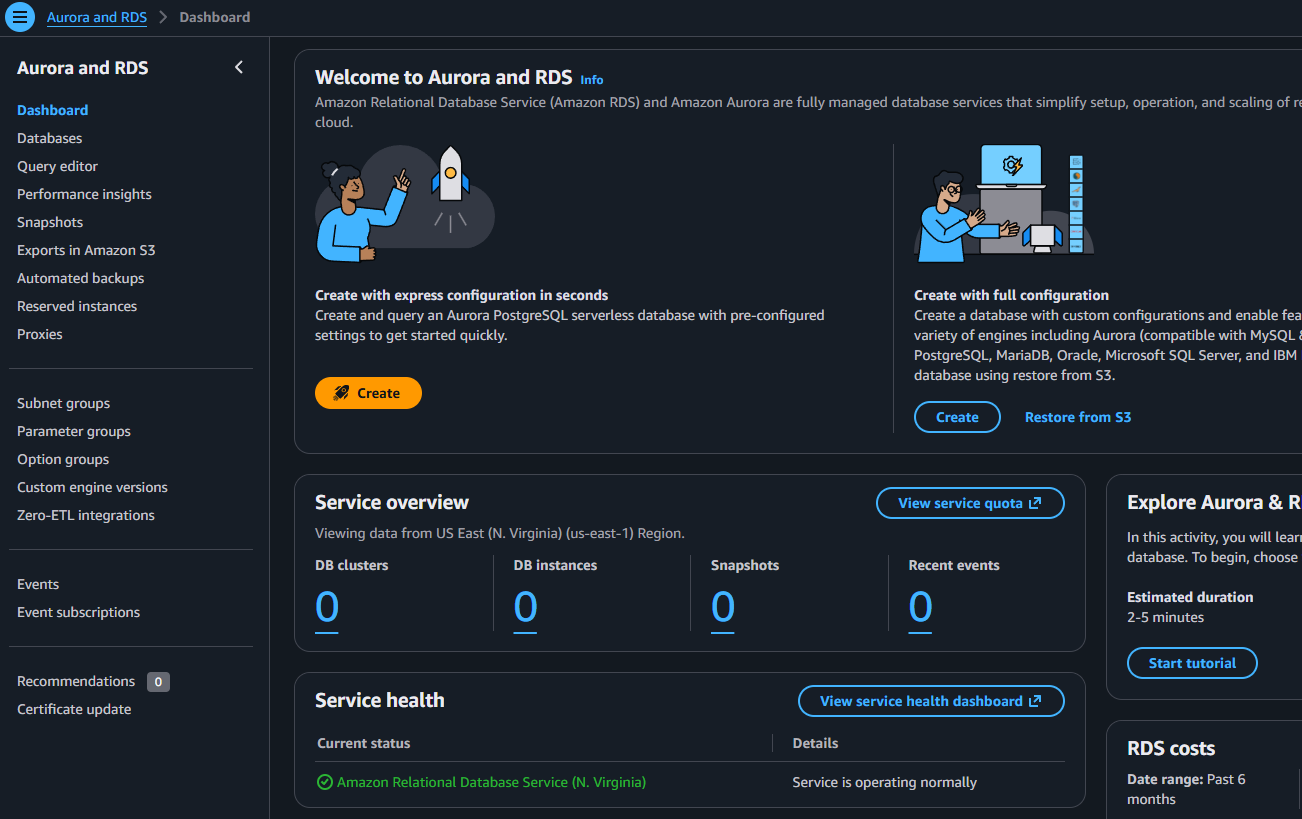
The wizard’s first fork is Full configuration vs Express configuration. Express spins up an Aurora Serverless database in seconds with defaults you cannot see. That is fine for a quick play, but the whole point here is to understand the settings, so I chose Full configuration. You only learn what a knob does by turning it yourself.
Deepen your understanding in Log Aggregator From Scratch in Go
Engine: Aurora PostgreSQL
Aurora comes in MySQL- and PostgreSQL-compatible flavors. I picked Aurora (PostgreSQL-Compatible) running the latest engine (PostgreSQL 17.x). PostgreSQL is the better default for most new work: richer data types, strong JSON support, and a huge ecosystem. Aurora keeps the PostgreSQL interface you know but swaps in AWS’s own storage layer that replicates across three Availability Zones automatically.
Explore this further in Adding an AWS Region to Aurora PostgreSQL (Global Database)
Template: Dev/Test, not Production
The Dev/Test template exists so you do not accidentally opt into production-grade cost. Production turns on Multi-AZ and other high-availability defaults that make sense for a real service and waste money on a demo. Since this cluster is a learning tool I will delete the same day, Dev/Test is the honest choice.
Discover related concepts in Filename Extraction: basename to a Production File Pipeline
Cluster scalability: why I picked Provisioned
This is the most interesting decision. Aurora offers three scalability types:
| Type | What it is | Good for |
|---|---|---|
| Provisioned | A fixed-size instance you choose (e.g. db.t3.medium) | Steady, predictable load; simplest to reason about and budget |
| Aurora Serverless v2 | Capacity that scales up and down automatically in ACUs | Spiky or unpredictable traffic; hands-off scaling |
| Limitless Database | Horizontal scaling beyond a single cluster’s limits | Very large workloads that outgrow one cluster |
I chose Provisioned with a Burstable db.t3.medium (2 vCPUs, 4 GiB RAM), the smallest, cheapest provisioned option. For a demo, provisioned is actually easier to think about than serverless: it is one fixed instance with one fixed hourly price, no “ACU” mental math, and its performance is steady so the cache latency numbers in part two will be clean and repeatable.
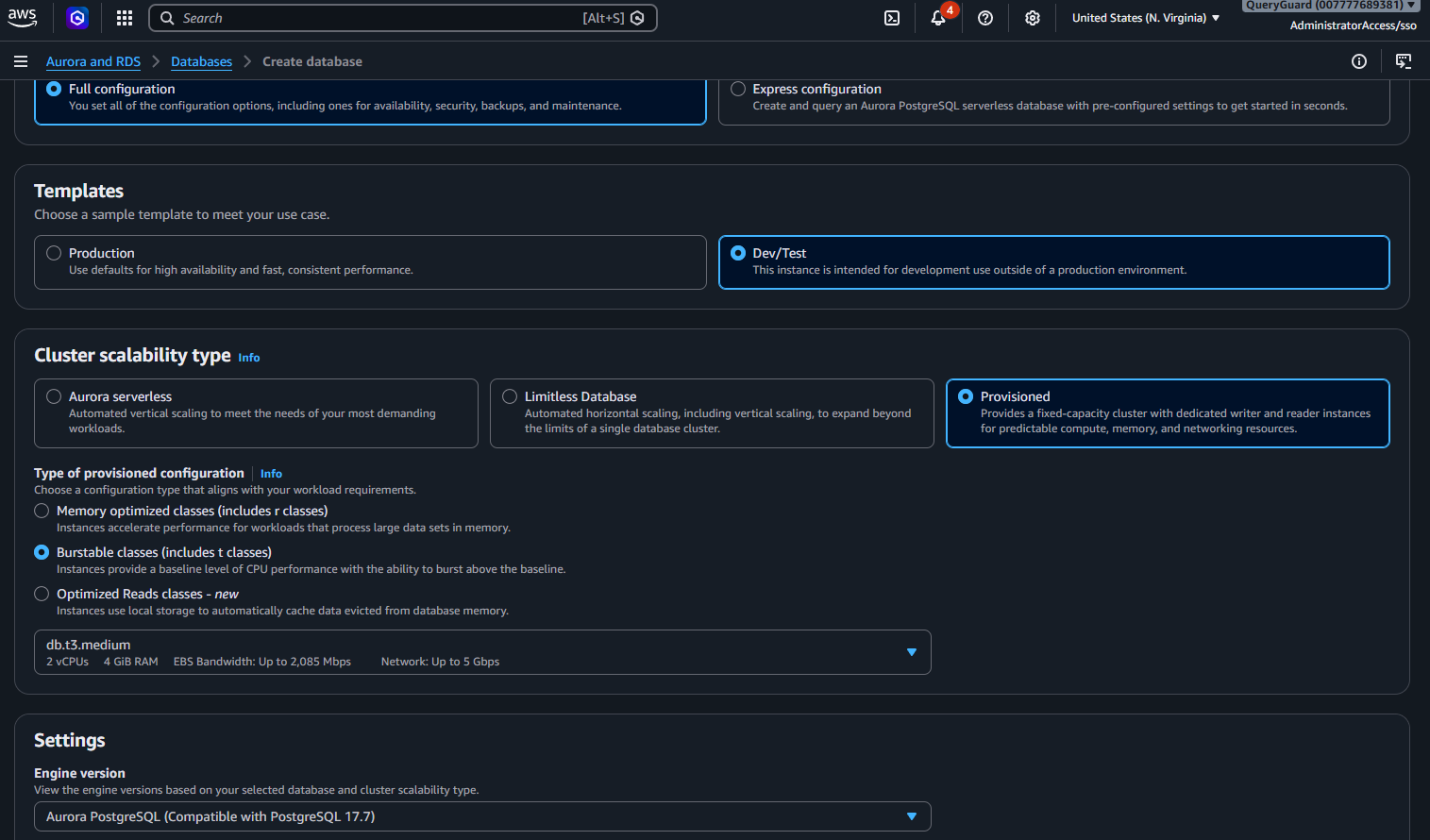
Serverless v2 is the better pick when traffic is bursty and you would rather not size an instance at all. It can scale down cheaply between bursts. But for a predictable little demo, and to keep the story simple, provisioned wins. Limitless is for workloads far bigger than anything here, so it is an easy skip.
Uncover more details in Adding an AWS Region to Aurora PostgreSQL (Global Database)
Rule of thumb: reach for Serverless v2 when you cannot predict load or do not want to manage capacity. Reach for Provisioned when load is steady, you want predictable billing, or you need a specific instance type. Both run the exact same Aurora engine.
Storage: Aurora Standard, not I/O-Optimized
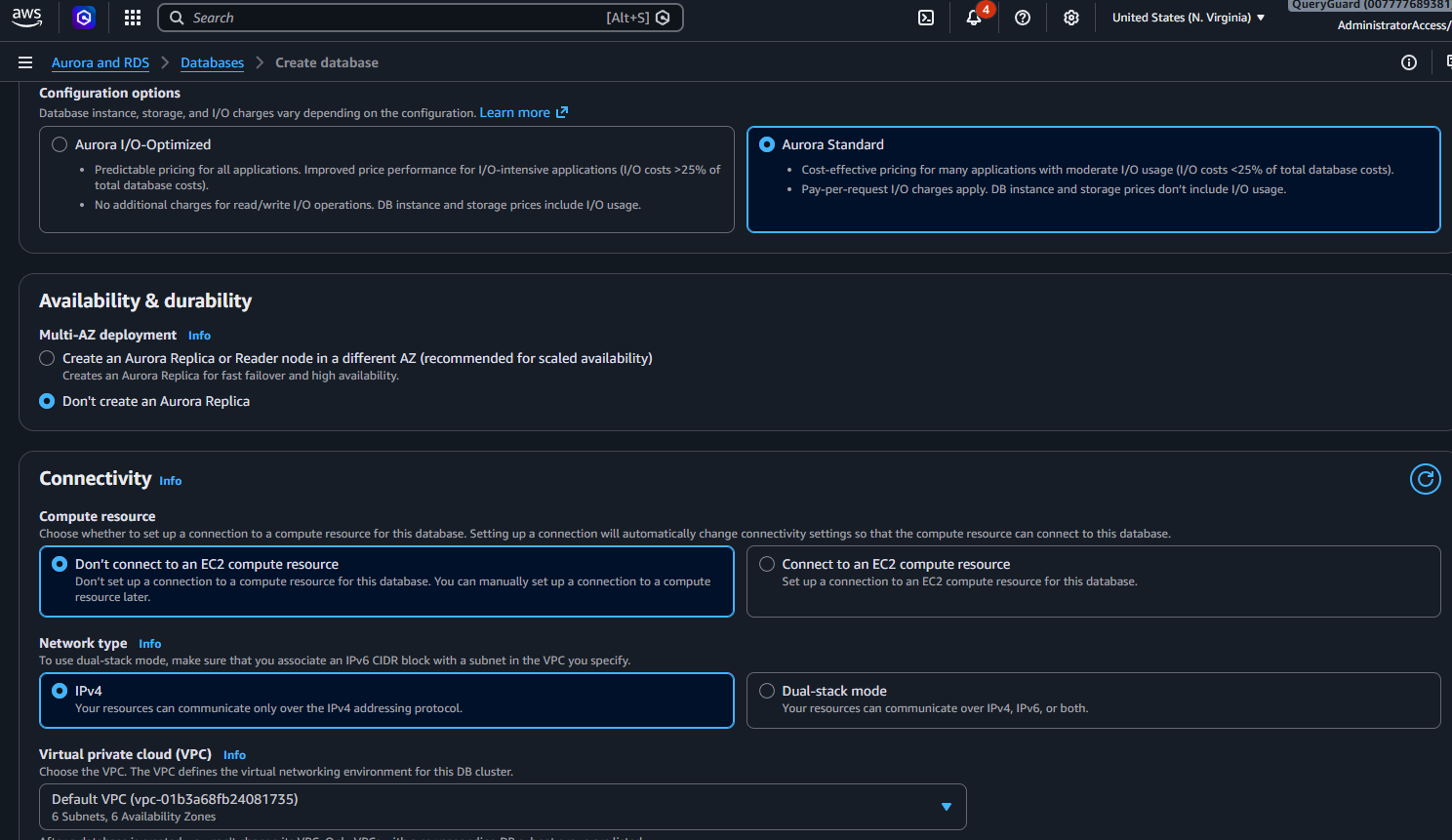
Aurora bills storage in one of two modes. Aurora Standard charges for storage plus a small per-request I/O fee. Aurora I/O-Optimized removes the per-request I/O charge but costs more up front, and it only pays off once I/O is more than about 25% of your total database bill, i.e. very read/write-heavy workloads. A demo does almost no I/O, so Aurora Standard is clearly cheaper.
Journey deeper into this topic with Adding an AWS Region to Aurora PostgreSQL (Global Database)
Credentials: Self managed
For the master password you can let AWS Secrets Manager generate and rotate it, or Self managed it yourself. Secrets Manager is the right answer for production because it handles rotation and access control, but it adds a moving part and a small cost. For a demo I chose Self managed and typed a password I will need in a minute to connect with psql.
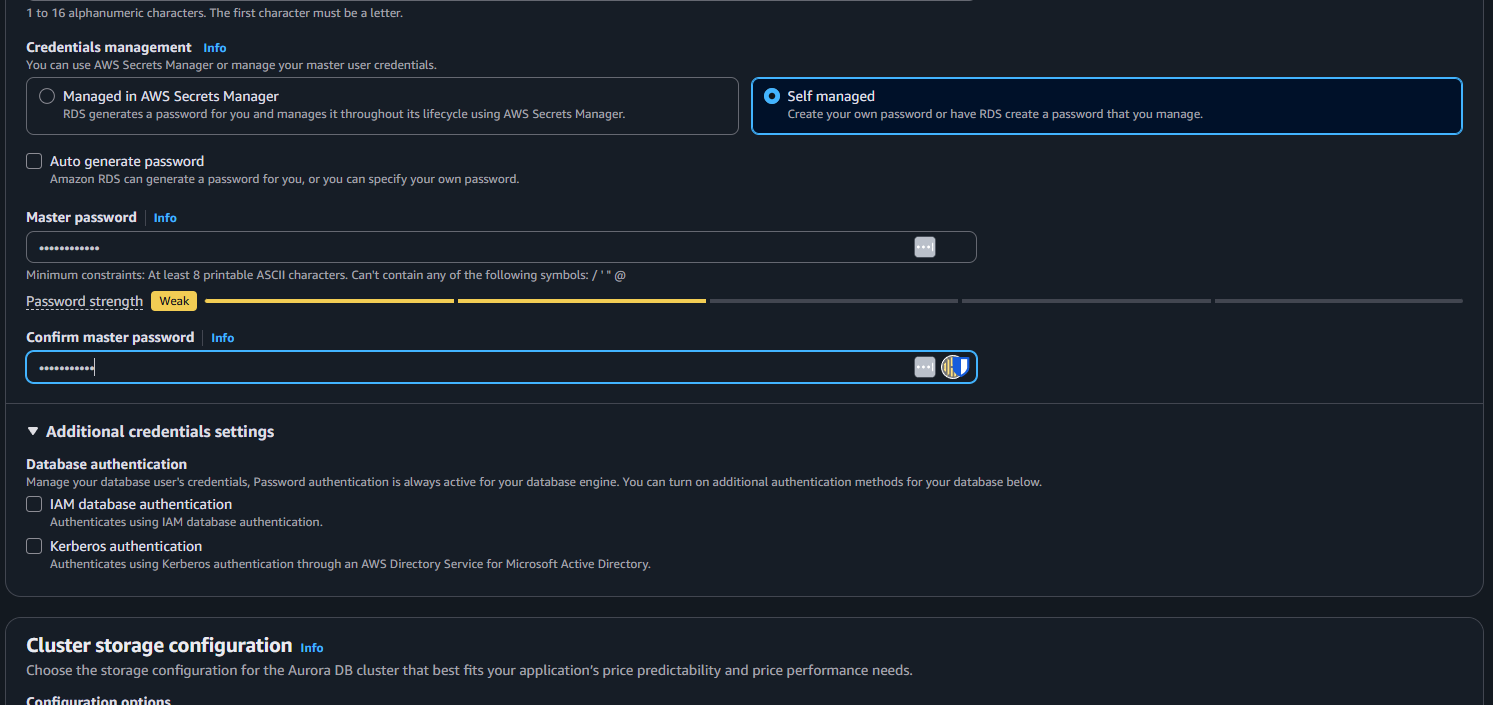
Enrich your learning with Self-Healing Bash: Functions That Recover From Failures
The wizard flagged my password as “Weak,” which is fine for a throwaway demo but not for anything real. Use a strong password (or Secrets Manager) for a database that will outlive the afternoon.
Availability: no replica
Under Availability & durability I chose Don’t create an Aurora Replica. A replica gives you fast failover and read scaling, which a production database wants, but it doubles the instance cost. A single instance is the cheapest way to learn, and if it fails I will just recreate it.
Gain comprehensive insights from Adding a Read Replica (Reader) to Aurora PostgreSQL
Connectivity and the security model
This is the part worth slowing down on, because it is where most “why can’t I connect” pain comes from.
- Compute resource: Don’t connect to an EC2 compute resource. The wizard can auto-wire a specific EC2 instance, but I prefer to control the security group myself so the setup is explicit and reusable.
- VPC: the same default VPC as the EC2 client. A database and its client must share a VPC to talk over the private network.
- Public access: No. Because my app runs on EC2 inside the VPC, it reaches Aurora privately. Giving the database a public IP would only add internet-facing attack surface for zero benefit. Public access is almost never the right call for an app database.
- VPC security group:
valkey-demo-sg. This is the firewall. Because it has that self-referencing rule on5432, and my EC2 client is a member of the same group, the client is allowed in. I left thedefaultgroup attached too, which is harmless, though you can remove it for tidiness.
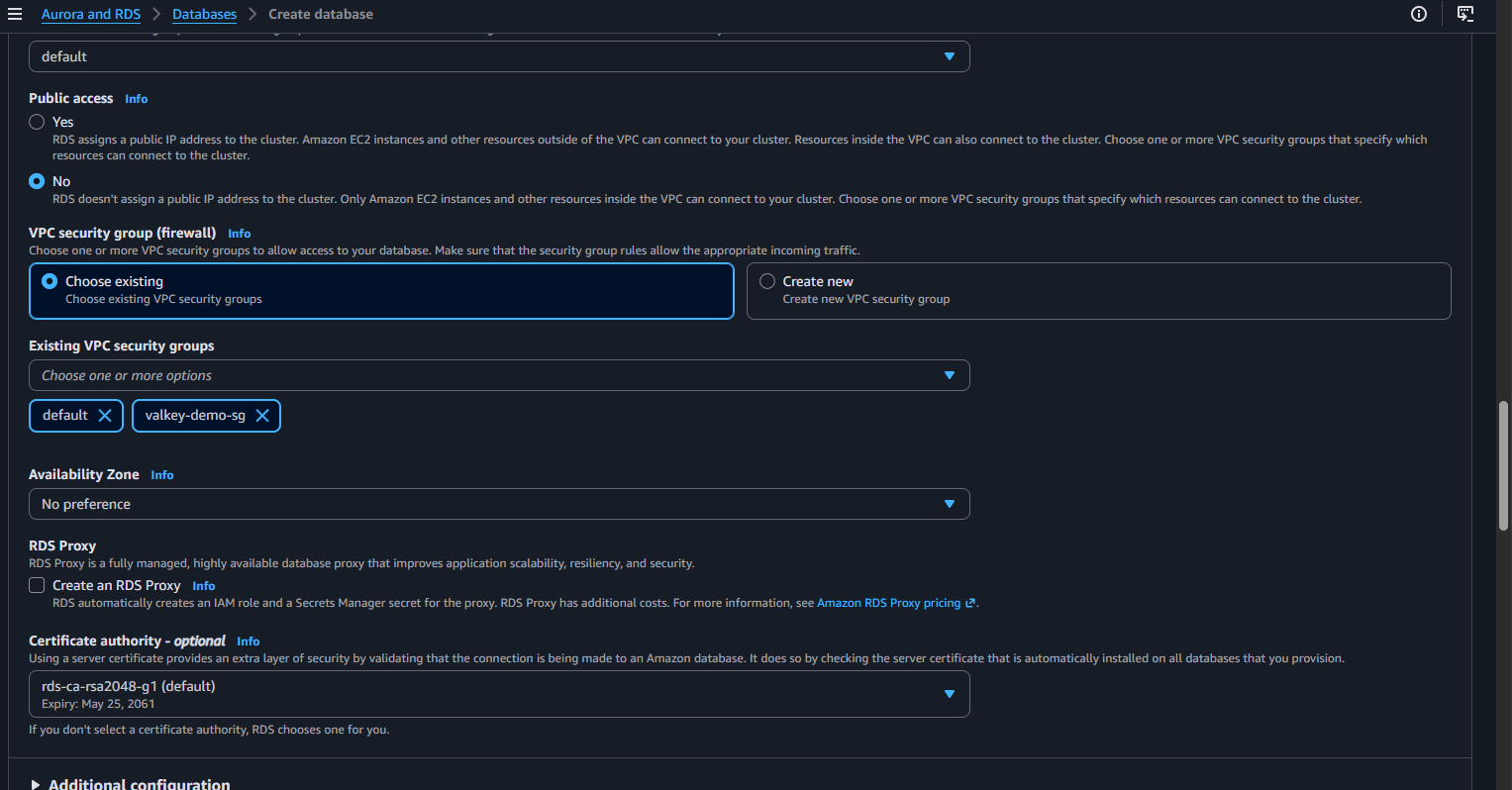
The security-group-references-itself pattern is worth internalizing: instead of allowing an IP address (which changes), you allow membership in a group. Put your client and your database in the same group, add one self-referencing rule per port, and they can talk, nothing else can.
I also left RDS Proxy off (it is a production connection-pooling feature that adds cost) and kept the default certificate authority. Under Monitoring I left Performance Insights on, its 7-day retention is free and it is genuinely useful for seeing database load later.
Master this concept through AWS Security Audit: From AWS CLI to a Go Security Scanner
Don’t forget the initial database name
In Additional configuration, set Initial database name to something like demo. Miss this and Aurora creates a cluster with no database inside it, and you will connect only to find there is nothing to use. It is the single most common “why is this empty” gotcha.
Delve into specifics at Database Scaling: From 100K to 5M Users
What it costs
A db.t3.medium Aurora instance runs about $0.08 per hour (roughly $2 for a full day) plus a little storage and I/O. That is more than Serverless v2 costs at idle, but it is predictable. The one rule that keeps this cheap: delete the cluster the same day. Left running, it is around $60 per month.
Deepen your understanding in Log Aggregator From Scratch in Go
What’s next
With Aurora Available, the foundation is done. In the next part we connect from the EC2 box with psql, create real tables, seed some data, and then put Valkey in front using the cache-aside pattern, measuring the difference between a cold query that hits Postgres and a warm one served from Valkey. For the cache side of that story, see the Valkey on AWS ElastiCache guide; and if you script against AWS while doing this, my Python Boto3 cheatsheet and Ubuntu Terminal cheatsheet are handy companions.
Configure it deliberately, understand each switch, and the database stops being a black box.
Deepen your understanding in Log Aggregator From Scratch in Go
References and Further Reading
- Amazon Web Services. Amazon Aurora User Guide.
- Amazon Web Services. Aurora Serverless v2.
- Amazon Web Services. Aurora storage: Standard vs I/O-Optimized.
- Amazon Web Services. Controlling access with security groups.
Question
Do you default to Serverless v2 or provisioned instances for your Aurora clusters, and what tipped the decision?
Similar Articles
Related Content
More from cloud
Atuin replaces your shell history with a searchable database: fuzzy matching, filter by directory, …
Cut AWS Lambda cost: what you are actually billed for, why more memory is rarely cheaper, the exact …
You Might Also Like
Livestream from your phone with Amazon IVS and no code, with every channel setting explained: …
Design an AWS Lambda system for a million users an hour: capacity math, concurrency, cold starts, …
Knowledge Quiz
Test your general knowledge with this quick quiz!
A set of multiple-choice questions to test your knowledge.
Take as much time as you need.
Your score will be shown at the end.
Question 1 of 5
Score: 0
Quiz Complete!
Your score: 0 out of 5
Loading next question...
Contents