Atuin replaces your shell history with a searchable database: fuzzy matching, filter by directory, …
/user/kayd
@
devops
:~$
cat kubectl-annotate-change-cause.md
kubectl annotate: Change-Cause and Rollout History kubectl annotate: Change-Cause and Rollout History


Karandeep Singh
• 21 minutes
Summary
Start with one kubectl annotate command and keep adding. Overwrite and remove annotations, fill the CHANGE-CAUSE column in rollout history, catch the stale change-cause trap, roll back, then move it all into git with a deploy script that writes the cause from your commit.
It is 2 a.m., checkout is throwing 500s, and you run kubectl rollout history to see what changed. Five revisions stare back at you, and every one of them says <none>. Somebody shipped something. Nobody wrote down what. This is the problem kubectl annotate solves, and it takes about one line per deploy.
In this guide we start with a single kubectl annotate command and keep adding to it. By the end you will know how to add, overwrite, and remove annotations, how kubernetes.io/change-cause fills that empty CHANGE-CAUSE column, the trap that makes a rollout lie about its reason, and how to move the whole thing into git so your history writes itself from commit messages.
Every command and every error below was run against a real Kubernetes 1.34 API server with kubectl 1.34.1. The output is copied from that session, not typed from memory.
kubectl rollout history reads them back from the ReplicaSets. That copy step explains every surprise in this article.What You Need for kubectl annotate
- A cluster you are allowed to break. kind, minikube, k3d, or a dev namespace all work.
kubectl1.27 or newer. The output below is from 1.34.1.git, for the second half of the article.
If Deployments and ReplicaSets are new to you, read Kubernetes fundamentals: Pods, Deployments and Services first. The kubectl cheat sheet covers the everyday commands this article builds on.
Expand your knowledge with kubectl Cheat Sheet: 30+ Essential Commands
Annotations live on the API object, so nothing in this article needs the Pods to actually be running. If your test cluster has no nodes, or the image never pulls, every command still behaves the same.
Step 1: Your First kubectl annotate
What: Create a Deployment and stick one annotation on it.
Why: Before change-cause makes sense, you need to see what an annotation is. It is a key and a string value attached to an object. Kubernetes stores it and otherwise ignores it.
$ kubectl create deployment web --image=nginx:1.27.0deployment.apps/web created$ kubectl annotate deployment web team=paymentsdeployment.apps/web annotatedThat’s the whole command: resource type, name, then key=value. Read it back with --list, which prints one annotation per line:
$ kubectl annotate deployment web --listdeployment.kubernetes.io/revision=1team=payments$ kubectl get deployment web -o jsonpath='{.metadata.annotations}'{"deployment.kubernetes.io/revision":"1","team":"payments"}Notice we got two annotations back, not one. deployment.kubernetes.io/revision was put there by the Deployment controller. Kubernetes uses annotations for its own bookkeeping all the time, and you will meet a few more of them before we are done.
Deepen your understanding in Build and Deploy a Go Lambda Function
Step 2: Change It, and Hit the Wall
What: Try to change the value from payments to checkout.
Why: This is the first thing everybody does, and it fails.
$ kubectl annotate deployment web team=checkouterror: --overwrite is false but found the following declared annotation(s): 'team' already has a value (payments)$ echo $? → 1kubectl will not replace an existing value unless you tell it to. It’s a guard rail, and a good one: in a busy cluster, the annotation you are about to clobber might belong to some other tool. Add --overwrite when you mean it:
$ kubectl annotate deployment web team=checkout --overwritedeployment.apps/web annotated$ kubectl annotate deployment web --listdeployment.kubernetes.io/revision=1team=checkout$ kubectl annotate deployment web team-deployment.apps/web annotated$ kubectl annotate deployment web --listdeployment.kubernetes.io/revision=1The trailing minus in team- removes the key. Removing does not need --overwrite, and it does not complain if the key is already gone.
Question
Why would kubectl make overwriting harder than adding? Think about who else writes annotations on the same object.
Explore this further in Build and Deploy a Go Lambda Function
Step 3: Annotations vs Labels
Before we go further, here’s the question that comes up every time: why not just use a label?
labels
- Short, strict values (63 characters, no spaces)
- Selectable:
kubectl get pods -l app=web - Services, ReplicaSets and NetworkPolicies match on them
- Changing one on a Pod can pull it out of a Service
annotations
- Free-form strings: sentences, URLs, JSON
- Not selectable: you cannot query by annotation
- Read by people and tools, ignored by the scheduler
- Up to 256 KiB per object, all keys combined
The rule of thumb: if a controller needs to find objects by it, it’s a label. If a human or a tool needs to read it, it’s an annotation. “Why did we deploy this” is the most human-readable thing there is, so it’s an annotation.
That 256 KiB limit is real, and the API server enforces it across all of an object’s annotations together:
$ kubectl patch deployment/web --type=merge --patch-file big.jsonThe Deployment "web" is invalid: metadata.annotations: Too long: may not be more than 262144 bytes$ echo $? → 1You will never hit that with a change-cause. You can hit it with tools that stash whole configs in annotations, which we’ll come back to in Step 8.
Discover related concepts in Deploy Jenkins on Amazon EKS: A Practical Tutorial
Step 4: Fill the CHANGE-CAUSE Column
What: Roll out a new image and record why.
Why: This is the reason most people end up searching for kubectl annotate in the first place.
Push a new image first and look at the history:
$ kubectl set image deployment/web nginx=nginx:1.27.1deployment.apps/web image updated$ kubectl rollout history deployment/webdeployment.apps/web REVISION CHANGE-CAUSE1 <none>2 <none>The CHANGE-CAUSE column is just the kubernetes.io/change-cause annotation. So let’s set it. Here’s how I typed it the first time:
$ kubectl annotate deployment/web kubernetes.io/change-cause=bump nginx to 1.27.1error: all resources must be specified before annotation changes: nginx$ echo $? → 1That error is confusing until you see what the shell did. Without quotes, the value stopped at the first space. kubectl got change-cause=bump as the annotation, then saw nginx, to and 1.27.1 as extra words and tried to read nginx as another resource name. Quote the value:
$ kubectl annotate deployment/web kubernetes.io/change-cause="bump nginx to 1.27.1"deployment.apps/web annotated$ kubectl rollout history deployment/webdeployment.apps/web REVISION CHANGE-CAUSE1 <none>2 bump nginx to 1.27.1Revision 2 now explains itself. And notice we annotated after the rollout and still landed on revision 2. That’s the copy step from the diagram at the top: the controller copies the Deployment’s annotations onto the newest ReplicaSet whenever they change. You can see where the value really lives:
Uncover more details in CPU Monitoring: From Linux Commands to a Go Dashboard
$ kubectl get rs -o custom-columns='NAME:.metadata.name,REVISION:.metadata.annotations.deployment\.kubernetes\.io/revision,CHANGE-CAUSE:.metadata.annotations.kubernetes\.io/change-cause,IMAGE:.spec.template.spec.containers[0].image'NAME REVISION CHANGE-CAUSE IMAGEweb-69ccdfbf95 2 bump nginx to 1.27.1 nginx:1.27.1web-f799c975d 1 <none> nginx:1.27.0Step 5: The Stale Change-Cause Trap
What: Ship one more image, and this time forget the annotation.
Why: Because everybody forgets eventually, and the result is worse than <none>.
$ kubectl set image deployment/web nginx=nginx:1.27.2deployment.apps/web image updated$ kubectl rollout history deployment/webdeployment.apps/web REVISION CHANGE-CAUSE1 <none>2 bump nginx to 1.27.13 bump nginx to 1.27.1Revision 3 runs nginx 1.27.2, but history swears it is the 1.27.1 bump. The Deployment still carried the old annotation, the controller copied it onto the new ReplicaSet, and now your audit trail is wrong in a way nobody will notice until the incident review.
A
<none> row tells you to go dig. A stale row tells you to stop digging. If you take one thing from this article, it’s this: every rollout needs a fresh change-cause, or none at all.Fixing it is one command. And here’s a detail I only learned by reading kubectl’s source: change-cause is the one annotation that does not need --overwrite.
$ kubectl annotate deployment/web kubernetes.io/change-cause="bump nginx to 1.27.2"deployment.apps/web annotated$ kubectl rollout history deployment/webdeployment.apps/web REVISION CHANGE-CAUSE1 <none>2 bump nginx to 1.27.13 bump nginx to 1.27.2In kubectl/pkg/cmd/annotate/annotate.go, the overwrite check skips that one key with the comment “change-cause annotation can always be overwritten”. Any other key still needs the flag, as Step 2 showed. In scripts I pass --overwrite anyway, so nobody reading the script has to know about the exception.
Journey deeper into this topic with Adding an AWS Region to Aurora PostgreSQL (Global Database)
Step 6: Why Not Just Use --record?
Older tutorials tell you to add --record and let kubectl write the cause for you. It still works, sort of:
$ kubectl set image deployment/web nginx=nginx:1.27.3 --recordFlag --record has been deprecated, --record will be removed in the futuredeployment.apps/web image updated$ echo $? → 0$ kubectl rollout history deployment/webdeployment.apps/web REVISION CHANGE-CAUSE1 <none>2 bump nginx to 1.27.13 bump nginx to 1.27.24 kubectl set image deployment/web nginx=nginx:1.27.3 --record=trueTwo problems. The flag is deprecated, so a future kubectl will drop it. And look at what it recorded: the command. You could already see that it’s nginx 1.27.3 from the image. What you can’t see is why. “Patch CVE in the image” or “roll forward after the 1.27.2 crash loop” is the part worth writing down, and only a human, or a commit message, can supply it.
Enrich your learning with Build and Deploy a Go Lambda Function
Step 7: Roll Back and Watch the History Move
What: Look inside a revision, then undo to it.
Why: A good change-cause pays off right here, when you are choosing what to roll back to.
--revision shows a single revision, change-cause included, without touching anything:
$ kubectl rollout history deployment/web --revision=2deployment.apps/web with revision #2Pod Template: Labels: app=web pod-template-hash=69ccdfbf95 Annotations: kubernetes.io/change-cause: bump nginx to 1.27.1 Containers: nginx: Image: nginx:1.27.1 Port: <none> Host Port: <none> Environment: <none> Mounts: <none> Volumes: <none> Node-Selectors: <none> Tolerations: <none>Now roll back to it:
$ kubectl rollout undo deployment/web --to-revision=2deployment.apps/web rolled back$ kubectl rollout history deployment/webdeployment.apps/web REVISION CHANGE-CAUSE1 <none>3 bump nginx to 1.27.24 kubectl set image deployment/web nginx=nginx:1.27.3 --record=true5 bump nginx to 1.27.1$ kubectl annotate deployment/web --listdeployment.kubernetes.io/revision=5kubernetes.io/change-cause=bump nginx to 1.27.1Revision 2 disappeared and came back as revision 5. A rollback does not create a new ReplicaSet; it reuses the old one and gives it the next revision number. The change-cause came with it and was copied back onto the Deployment. That’s handy, but it also means the next rollout will inherit “bump nginx to 1.27.1” unless you set a new cause. Same trap as Step 5, different door.
Question
After the rollback, what will revision 6 say if you run kubectl set image without annotating?
Gain comprehensive insights from Stop Pressing the Up Arrow: Searchable Shell History with Atuin
Step 8: Move kubectl annotate Into Git
Typing annotations by hand works until the day you’re tired. The fix is to stop relying on memory. Let’s put the Deployment in a git repo, where every change already has a reason attached: the commit message.
Here’s the starting manifest, committed as-is:
apiVersion: apps/v1
kind: Deployment
metadata:
  name: checkout
  labels:
    app: checkout
spec:
  replicas: 2
  selector:
    matchLabels:
      app: checkout
  template:
    metadata:
      labels:
        app: checkout
    spec:
      containers:
        - name: checkout
          image: ghcr.io/acme/checkout:1.4.0
          ports:
            - containerPort: 8080
$ kubectl apply -f k8s/checkout.yamldeployment.apps/checkout created$ kubectl rollout history deployment/checkoutdeployment.apps/checkout REVISION CHANGE-CAUSE1 <none>Now the next release. We bump the image and, in the same edit, add annotations to the manifest: the change-cause, plus an owner and a runbook link for whoever gets paged.
diff --git a/k8s/checkout.yaml b/k8s/checkout.yamlindex d9eba05..72d5800 100644--- a/k8s/checkout.yaml+++ b/k8s/checkout.yaml@@ -4,6 +4,10 @@ metadata: name: checkout labels: app: checkout+ annotations:+ kubernetes.io/change-cause: "checkout 1.5.0: retry card declines once"+ team.acme.io/owner: payments+ team.acme.io/runbook: https://wiki.acme.io/runbooks/checkout spec: replicas: 2 selector:@@ -16,6 +20,6 @@ spec: spec: containers: - name: checkout- image: ghcr.io/acme/checkout:1.4.0+ image: ghcr.io/acme/checkout:1.5.0 ports: - containerPort: 8080git diff shows what you changed. kubectl diff shows what will change in the cluster, which is not always the same thing:
--- /tmp/LIVE-4253123521/apps.v1.Deployment.default.checkout+++ /tmp/MERGED-3209055176/apps.v1.Deployment.default.checkout@@ -5,8 +5,11 @@ deployment.kubernetes.io/revision: "1" kubectl.kubernetes.io/last-applied-configuration: | {"apiVersion":"apps/v1","kind":"Deployment","metadata":{"annotations":{},"labels":{"app":"checkout"},"name":"checkout","namespace":"default"},"spec":{"replicas":2,"selector":{"matchLabels":{"app":"checkout"}},"template":{"metadata":{"labels":{"app":"checkout"}},"spec":{"containers":[{"image":"ghcr.io/acme/checkout:1.4.0","name":"checkout","ports":[{"containerPort":8080}]}]}}}}+ kubernetes.io/change-cause: 'checkout 1.5.0: retry card declines once'+ team.acme.io/owner: payments+ team.acme.io/runbook: https://wiki.acme.io/runbooks/checkout creationTimestamp: "2026-10-19T19:22:07Z"- generation: 1+ generation: 2 labels: app: checkout name: checkout@@ -31,7 +34,7 @@ app: checkout spec: containers:- - image: ghcr.io/acme/checkout:1.4.0+ - image: ghcr.io/acme/checkout:1.5.0 imagePullPolicy: IfNotPresent name: checkout ports:Two things in there you didn’t write. deployment.kubernetes.io/revision we met in Step 1. kubectl.kubernetes.io/last-applied-configuration is a copy of your whole manifest that kubectl apply keeps so it can work out what to delete next time. That’s the kind of annotation that eats into the 256 KiB budget from Step 3. Ours is 475 bytes, but on a big CRD it can be a real number.
kubectl diff exits with 1 when it finds differences and 0 when there are none. In CI that trips set -e the first time you use it. Treat 1 as “changes found” and anything above 1 as a real error.Apply it, commit it, and the history picks up the cause from the file:
Master this concept through kubectl Cheat Sheet: 30+ Essential Commands
$ kubectl apply -f k8s/checkout.yamldeployment.apps/checkout configured$ kubectl rollout history deployment/checkoutdeployment.apps/checkout REVISION CHANGE-CAUSE1 <none>2 checkout 1.5.0: retry card declines onceStep 9: The Same Trap, in YAML
One release later, a teammate bumps the image on their branch and, to test it, applies it straight from there. The diff they will open a pull request with looks perfectly reasonable:
diff --git a/k8s/checkout.yaml b/k8s/checkout.yamlindex 72d5800..c6b9e09 100644--- a/k8s/checkout.yaml+++ b/k8s/checkout.yaml@@ -20,6 +20,6 @@ spec: spec: containers: - name: checkout- image: ghcr.io/acme/checkout:1.5.0+ image: ghcr.io/acme/checkout:1.5.1 ports: - containerPort: 8080$ kubectl apply -f k8s/checkout.yamldeployment.apps/checkout configured$ kubectl rollout history deployment/checkoutdeployment.apps/checkout REVISION CHANGE-CAUSE1 <none>2 checkout 1.5.0: retry card declines once3 checkout 1.5.0: retry card declines onceNo reviewer would catch that, because the line that needed changing is not in the diff at all. Putting the cause in YAML only moved the “remember to update it” problem from the terminal into code review.
Delve into specifics at Mastering sed for YAML, JSON, TOML Config Files
Package configuration
Configuration change-cause-source
The change-cause needs to change on every rollout.
A field in the YAML changes only when somebody remembers to edit it. A commit message exists for every change by definition.
Where should the change-cause come from?
< Commit message >< YAML file >
Step 10: Write the Change-Cause From the Commit
What: Take change-cause out of the YAML and let a small deploy script write it from git log.
Why: The commit message is already required, already reviewed, and already describes why. Reuse it.
First, the change. The cause leaves the manifest, and a script appears that applies and then annotates:
diff --git a/k8s/checkout.yaml b/k8s/checkout.yamlindex 72d5800..bd3af1e 100644--- a/k8s/checkout.yaml+++ b/k8s/checkout.yaml@@ -5,7 +5,6 @@ metadata: labels: app: checkout annotations:- kubernetes.io/change-cause: "checkout 1.5.0: retry card declines once" team.acme.io/owner: payments team.acme.io/runbook: https://wiki.acme.io/runbooks/checkout spec:diff --git a/deploy.sh b/deploy.shnew file mode 100755--- /dev/null+++ b/deploy.sh@@ -0,0 +1,9 @@+#!/usr/bin/env bash+set -euo pipefail++# Apply the manifests, then record why this rollout happened.+kubectl apply -f k8s/++cause="$(git log -1 --format='%h %s')"+kubectl annotate deployment/checkout \+ kubernetes.io/change-cause="$cause" --overwriteThe team.acme.io/owner and runbook annotations stay in YAML because they rarely change and belong with the manifest. Only the thing that changes every time moves out. Commit that change on main:
$ git add -A && git commit -qm "deploy: write change-cause from the commit, not the YAML"Now two ordinary releases on main, each with a normal commit. The first redoes the teammate’s 1.5.1 bump properly:
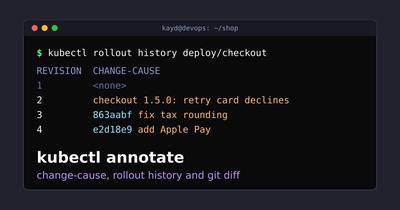
$ git commit -qam "checkout 1.5.1: fix tax rounding on CAD orders"$ ./deploy.shdeployment.apps/checkout configureddeployment.apps/checkout annotated$ git commit -qam "checkout 1.6.0: add Apple Pay"$ ./deploy.shdeployment.apps/checkout configureddeployment.apps/checkout annotated$ kubectl rollout history deployment/checkoutdeployment.apps/checkout REVISION CHANGE-CAUSE1 <none>2 checkout 1.5.0: retry card declines once3 863aabf checkout 1.5.1: fix tax rounding on CAD orders4 e2d18e9 checkout 1.6.0: add Apple PayRevision 3 corrected itself, too. The 1.5.1 Pod template was already running from the teammate’s branch, so apply didn’t start a new rollout, and the annotate step overwrote the stale cause on the current revision. Every row now carries a commit SHA you can git show:
$ git log --onelinee2d18e9 checkout 1.6.0: add Apple Pay863aabf checkout 1.5.1: fix tax rounding on CAD orders40e5f04 deploy: write change-cause from the commit, not the YAML42a48c3 checkout 1.5.0: retry card declines once6da4575 checkout: initial deploymentHere’s how the history improved over the course of this walkthrough:
If deploy.sh runs from a self-hosted CI runner, the runner is now part of your audit trail. Check it like any other service. A healthy one looks like this:
Deepen your understanding in Build and Deploy a Go Lambda Function
● actions.runner.acme-shop.build-01.service - GitHub Actions Runner (acme-shop.build-01)
     Loaded: loaded (/lib/systemd/system/actions.runner.acme-shop.build-01.service; enabled; preset: enabled)
     Active: active (running) since Mon 2026-10-19 09:02:11 MDT; 10h ago
   Main PID: 1187 (runsvc.sh)
      Tasks: 18 (limit: 4653)
     Memory: 212.4M
Oct 19 19:24:40 build-01 Runner.Listener[1203]: Running job: deploy-checkout
Oct 19 19:24:58 build-01 Runner.Listener[1203]: Job deploy-checkout completed with result: Succeeded
Step 11: Deployment Annotations vs Pod Template Annotations
What: Learn which annotations restart Pods and which don’t.
Why: Mix these up and you either restart production by accident, or wonder why nothing restarted.
A Deployment has two places for annotations, and they behave completely differently:
metadata.annotations
Notes about the Deployment object.
kubectl annotate deployment/checkout ... writes here.
Pods are untouched. No new revision.
spec.template.metadata.annotations
Part of the Pod template, copied onto every Pod.
Any change here is a template change.
New ReplicaSet, new Pods, new revision.
You can see both in action. Annotating the Deployment leaves the history alone. kubectl rollout restart writes a timestamp into the template, and that is a whole new rollout:
$ kubectl annotate deployment/checkout team.acme.io/oncall=@payments-oncalldeployment.apps/checkout annotated$ kubectl rollout history deployment/checkoutdeployment.apps/checkout REVISION CHANGE-CAUSE1 <none>2 checkout 1.5.0: retry card declines once3 863aabf checkout 1.5.1: fix tax rounding on CAD orders4 e2d18e9 checkout 1.6.0: add Apple Pay$ kubectl rollout restart deployment/checkoutdeployment.apps/checkout restarted$ kubectl get deployment checkout -o jsonpath='{.spec.template.metadata.annotations}'{"kubectl.kubernetes.io/restartedAt":"2026-10-19T19:23:02Z"}$ kubectl rollout history deployment/checkoutdeployment.apps/checkout REVISION CHANGE-CAUSE1 <none>2 checkout 1.5.0: retry card declines once3 863aabf checkout 1.5.1: fix tax rounding on CAD orders4 e2d18e9 checkout 1.6.0: add Apple Pay5 e2d18e9 checkout 1.6.0: add Apple PayAnd there’s the stale-cause trap one last time: a restart is a rollout, so revision 5 inherited the Apple Pay message. If you restart on purpose, annotate on purpose: kubectl annotate deployment/checkout kubernetes.io/change-cause="restart: pick up rotated DB secret".
kubectl describe shows both sets of annotations together, which is the fastest way to tell them apart. This one was captured at the end of the session, so it also carries the cost-center and on-call annotations from Step 12. Click into the pager and use j/k or the space bar to scroll:
Name:                   checkout
Namespace:              default
CreationTimestamp:      Mon, 19 Oct 2026 19:22:07 +0000
Labels:                 app=checkout
                        team=payments
Annotations:            deployment.kubernetes.io/revision: 5
                        kubernetes.io/change-cause: e2d18e9 checkout 1.6.0: add Apple Pay
                        team.acme.io/cost-center: cc-4410
                        team.acme.io/oncall: @payments-oncall-2
                        team.acme.io/owner: payments
                        team.acme.io/runbook: https://wiki.acme.io/runbooks/checkout
Selector:               app=checkout
Replicas:               2 desired | 1 updated | 3 total | 0 available | 3 unavailable
StrategyType:           RollingUpdate
MinReadySeconds:        0
RollingUpdateStrategy:  25% max unavailable, 25% max surge
Pod Template:
  Labels:       app=checkout
  Annotations:  kubectl.kubernetes.io/restartedAt: 2026-10-19T19:23:02Z
  Containers:
   checkout:
    Image:         ghcr.io/acme/checkout:1.6.0
    Port:          8080/TCP
    Host Port:     0/TCP
    Environment:   <none>
    Mounts:        <none>
  Volumes:         <none>
  Node-Selectors:  <none>
  Tolerations:     <none>
Conditions:
  Type           Status  Reason
  ----           ------  ------
  Available      False   MinimumReplicasUnavailable
  Progressing    True    ReplicaSetUpdated
OldReplicaSets:  checkout-6f59cbd558 (0/0 replicas created), checkout-66984f96b7 (0/0 replicas created), checkout-7b77b8ffd (1/1 replicas created), checkout-5f7f9f7bcb (1/1 replicas created)
NewReplicaSet:   checkout-8677bd445c (1/1 replicas created)
Events:
  Type    Reason             Age   From                   Message
  ----    ------             ----  ----                   -------
  Normal  ScalingReplicaSet  81s   deployment-controller  Scaled up replica set checkout-6f59cbd558 from 0 to 2
  Normal  ScalingReplicaSet  62s   deployment-controller  Scaled up replica set checkout-66984f96b7 from 0 to 1
  Normal  ScalingReplicaSet  60s   deployment-controller  Scaled down replica set checkout-6f59cbd558 from 2 to 1
  Normal  ScalingReplicaSet  60s   deployment-controller  Scaled up replica set checkout-7b77b8ffd from 0 to 1
  Normal  ScalingReplicaSet  41s   deployment-controller  Scaled down replica set checkout-6f59cbd558 from 1 to 0
  Normal  ScalingReplicaSet  41s   deployment-controller  Scaled up replica set checkout-5f7f9f7bcb from 0 to 1
  Normal  ScalingReplicaSet  26s   deployment-controller  Scaled down replica set checkout-66984f96b7 from 1 to 0
  Normal  ScalingReplicaSet  26s   deployment-controller  Scaled up replica set checkout-8677bd445c from 0 to 1
kubectl describe deployment checkout
0%
The Pods in this test cluster never become available because it has no nodes. As promised at the top, the annotations don’t care.
Deepen your understanding in Build and Deploy a Go Lambda Function
Step 12: Annotate Many Objects Safely
What: Annotate by label selector, preview with dry run, and guard against races.
Why: Once you trust annotations, you’ll want them on everything a team owns. That’s where one command can touch a lot of objects.
A label selector picks the objects, and the annotation goes on all of them:
$ kubectl annotate deployments -l team=payments team.acme.io/cost-center=cc-4410deployment.apps/cart annotateddeployment.apps/checkout annotated--all takes every object of that type in the namespace. Always preview it first with --dry-run=client, which prints what would happen and sends nothing:
$ kubectl annotate deployments --all team.acme.io/reviewed=2026-10 --dry-run=clientdeployment.apps/cart annotated (dry run)deployment.apps/checkout annotated (dry run)deployment.apps/web annotated (dry run)Package configuration
Configuration annotate-all
kubectl annotate deployments --all KEY=VALUE --overwrite replaces that key on every Deployment in the namespace, including ones another team or tool owns.
There is no undo. The old values are gone.
Run it with --dry-run=client first?
< Yes >< No >
In CI you often want to change a manifest file without touching a cluster at all. --local does exactly that, reading from -f and printing the result:
$ kubectl annotate -f k8s/checkout.yaml team.acme.io/owner=platform --local --overwrite -o yaml | head -12apiVersion: apps/v1kind: Deploymentmetadata: annotations: team.acme.io/owner: platform team.acme.io/runbook: https://wiki.acme.io/runbooks/checkout labels: app: checkout name: checkoutspec: replicas: 2 selector:And three mistakes worth recognizing on sight. A race, where someone else changed the object after you read it, caught by --resource-version:
$ kubectl annotate deployment/checkout team.acme.io/oncall=@sre --overwrite --resource-version=400Error from server (Conflict): Operation cannot be fulfilled on deployments.apps "checkout": the object has been modified; please apply your changes to the latest version and try again$ echo $? → 1A key with a space in it, rejected by the API server:
$ kubectl annotate deployment/checkout 'Team Owner=payments'The Deployment "checkout" is invalid: metadata.annotations: Invalid value: "Team Owner": name part must consist of alphanumeric characters, '-', '_' or '.', and must start and end with an alphanumeric character (e.g. 'MyName', or 'my.name', or '123-abc', regex used for validation is '([A-Za-z0-9][-A-Za-z0-9_.]*)?[A-Za-z0-9]')$ echo $? → 1And a key with no =value and no trailing -, which kubectl can’t read as an add or a remove:
Deepen your understanding in Build and Deploy a Go Lambda Function
$ kubectl annotate deployment/checkout team.acme.io/oncallerror: at least one annotation update is required$ echo $? → 1Keys like
team.acme.io/owner use a DNS-style prefix your organization controls. Unprefixed keys like team work, but they collide with every other tool that had the same idea. The kubernetes.io/ and k8s.io/ prefixes are reserved for Kubernetes itself, and kubernetes.io/change-cause is one of those that kubectl reads on purpose.kubectl annotate Reference
The parts of kubectl annotate --help that matter for everything above, from kubectl 1.34.1:
Deepen your understanding in Build and Deploy a Go Lambda Function
KUBECTL-ANNOTATE(1)kubectl ManualKUBECTL-ANNOTATE(1)
Name
kubectl annotate: update the annotations on one or more resources
Synopsis
kubectl annotate [--overwrite] (-f FILENAME | TYPE NAME) KEY_1=VAL_1 ... KEY_N=VAL_N [--resource-version=version] [options]
Description
All Kubernetes objects support the ability to store additional data with the object as annotations. Annotations are key/value pairs that can be larger than labels and include arbitrary string values such as structured JSON.
Attempting to set an annotation that already exists will fail unless --overwrite is set. If --resource-version is specified and does not match the current resource version on the server the command will fail.
Options
--overwrite: allow annotations to be overwritten, otherwise reject updates that overwrite existing annotations--list: display the annotations for a given resource-l, --selector: label query to filter on--all: select all resources, in the namespace of the specified resource types--dry-run: must benone,server, orclient--local: do NOT contact the api-server, run locally--resource-version: only succeed if this is the current resource-version for the object; valid for a single resource only
Examples
kubectl annotate pods foo description='my frontend'
kubectl annotate --overwrite pods foo description='my frontend running nginx'
kubectl annotate pods foo description-
See also
kubectl-label(1), kubectl-rollout(1), kubectl-diff(1)
kubectl v1.34.1October 2026KUBECTL-ANNOTATE(1)
kubectl annotate Cheat Sheet
| Task | Command |
|---|---|
| Add an annotation | kubectl annotate deploy/web team=payments |
| List annotations | kubectl annotate deploy/web --list |
| Change a value | kubectl annotate deploy/web team=checkout --overwrite |
| Remove an annotation | kubectl annotate deploy/web team- |
| Record why you deployed | kubectl annotate deploy/web kubernetes.io/change-cause="why" |
| See the reasons | kubectl rollout history deploy/web |
| Inspect one revision | kubectl rollout history deploy/web --revision=2 |
| Annotate by label | kubectl annotate deploy -l team=payments key=value |
| Preview a bulk change | kubectl annotate deploy --all key=value --dry-run=client |
| Edit a file, no cluster | kubectl annotate -f app.yaml key=value --local -o yaml |
| Guard against races | kubectl annotate deploy/web key=value --resource-version=N |
| Cause from git | kubectl annotate deploy/web kubernetes.io/change-cause="$(git log -1 --format='%h %s')" --overwrite |
What We Built
We started with one kubectl annotate command and kept adding. Along the way:
--overwriteguards every key exceptkubernetes.io/change-cause, andkey-removes one.- Annotations describe, labels select, and the whole object gets 256 KiB.
- CHANGE-CAUSE is just an annotation, copied from the Deployment to each new ReplicaSet.
- That copy is why a forgotten annotation turns into a stale reason, after a
set image, anapply, a rollback, or a restart. --recordstill works, but it’s deprecated and only records the command, not the reason.git diffshows what you changed, andkubectl diffshows what the cluster will change, exit code 1 included.- A five-line
deploy.shthat writes the cause fromgit logkeeps rollout history honest without anyone having to remember.
Next time somebody runs kubectl rollout history at 2 a.m., every row will say what changed, why, and which commit to read. That’s the whole point of kubectl annotate and change-cause: the reason travels with the rollout.
Deepen your understanding in Build and Deploy a Go Lambda Function
References and Further Reading
- Kubernetes Documentation. (2026). Annotations. The Kubernetes Authors.
- Kubernetes Documentation. (2026). Deployments: Checking Rollout History of a Deployment. The Kubernetes Authors.
- Kubernetes Documentation. (2026). kubectl annotate. The Kubernetes Authors.
- Kubernetes Documentation. (2026). Well-Known Labels, Annotations and Taints. The Kubernetes Authors.
- Kubernetes Project. (2026). kubectl annotate source (annotate.go). GitHub.
Similar Articles
Related Content
More from devops
Cut AWS Lambda cost: what you are actually billed for, why more memory is rarely cheaper, the exact …
How I turned a Hugo blog into a public MCP server on Netlify — tools, resources and prompts over a …
You Might Also Like
Build a multi-container app with Docker Compose, then build images with Docker Bake and push them to …
Set up a Kubernetes cluster on AWS EKS with eksctl: prerequisites, one-command cluster creation, …
Kubernetes CrashLoopBackOff explained: a workflow to diagnose it and fix the six most common causes, …
Knowledge Quiz
Test your general knowledge with this quick quiz!
A set of multiple-choice questions to test your knowledge.
Take as much time as you need.
Your score will be shown at the end.
Question 1 of 5
Score: 0
Quiz Complete!
Your score: 0 out of 5
Loading next question...
Contents